








Croco Group B2B Platform – Application
The B2B platform is also available on desktop devices (computers and laptops) and on mobile devices in the form of an application.
Find out how to download the application.
When you first launch the platform in your browser (except for Firefox), a message will appear at the bottom of the page with the option to install the platform as an application.
The application installation feature is also available in the upper part of the platform under “Install B2B Croco”.
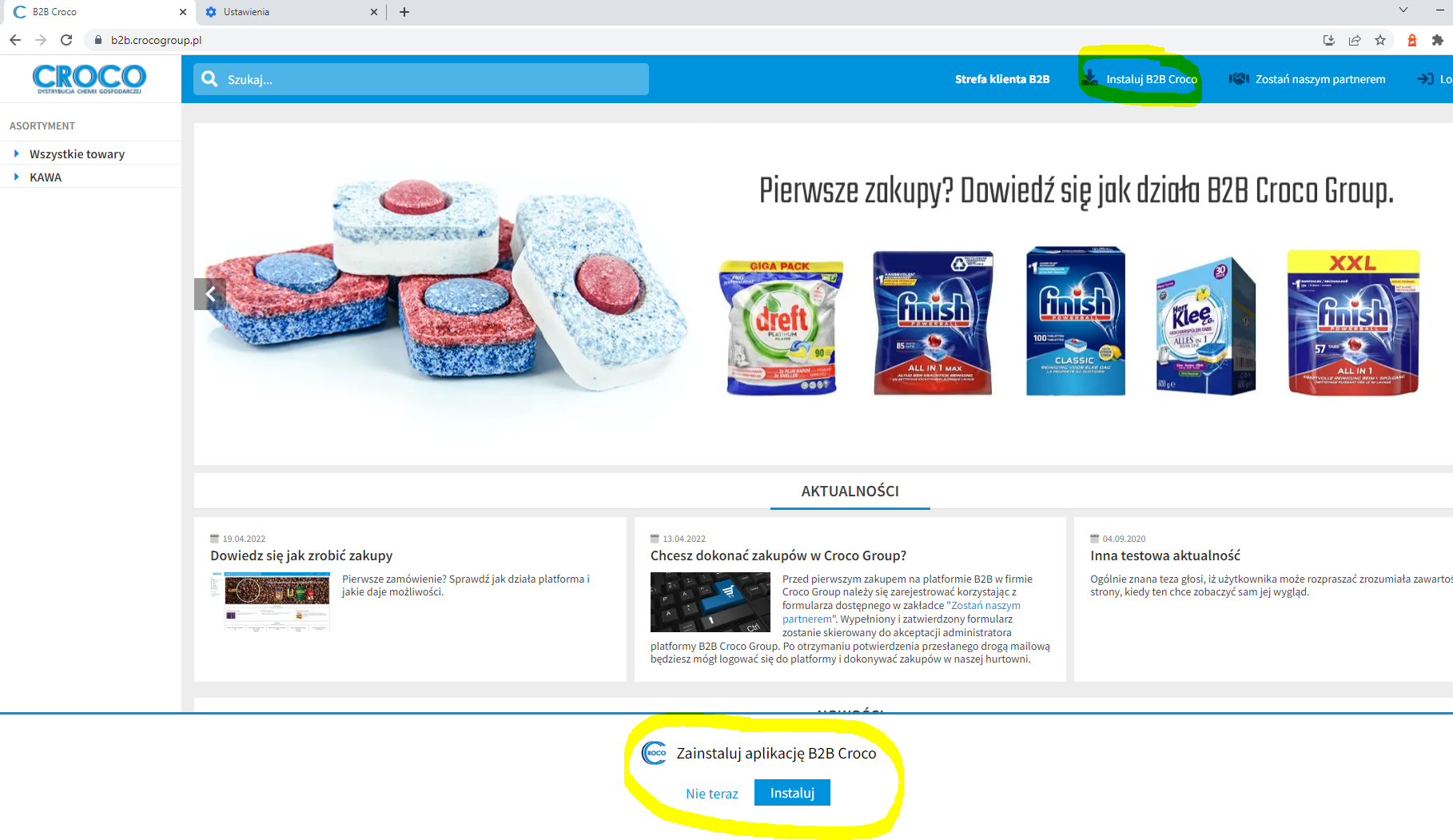
This feature is not available if the application is already installed on the device.
When the application is installed on a computer/laptop, an icon will appear on the desktop allowing you to launch the application. On mobile devices with Android, an additional icon will appear in the app list.
 Install the B2B Croco app